AI coding agents, at the edge of your screen.
Agent Deck gives you a live view of every coding agent you use. See limits, active sessions, requests, and status without leaving your workflow.

Everything important, in one glance.
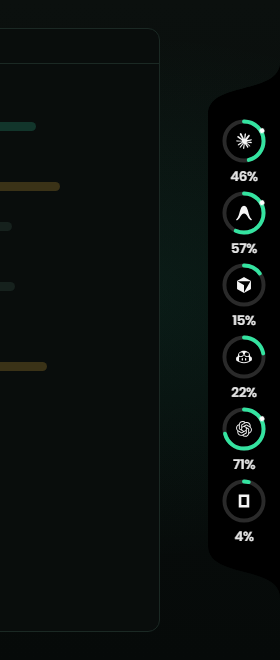
A small always-on view of your agents. See usage, activity, pending questions, and requests without interrupting your active mental flow.
LIVE STATUS
See what every autonomous agent is doing across your files and background shells in micro-second sync.
NEEDS YOU
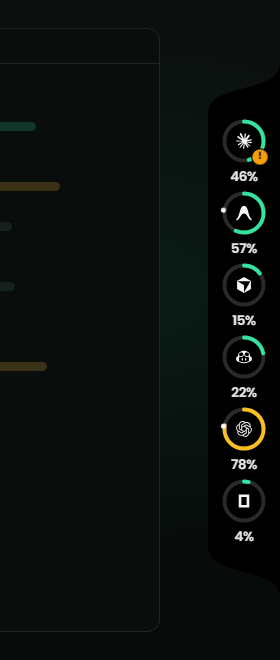
Know instantly when an agent requires architectural validation, credentials injection, or terminal diff approvals.
STAY IN CONTROL
One keystroke or physical knob click to jump into full logs, stop runaways, or switch active routing trees.
Folded, open, and waiting on you
Screenshots of the real widget over demo data, docked to the right edge.
Zero configuration. Total awareness.
Connect your agents
Auto-discovers Claude Code, Cursor background threads, Codex CLI, Aider, and local open-weights engines on system boot.
Watches active sessions
Passively instruments local process trees to tally real token consumption, file mutation buffers, and pending stdin prompts.
Respond without switching
Approve diffs or kill rogue loops via your floating edge companion or a physical button press on The Deck hardware.
The whole picture when you want it.
Bring up the full command surface when you need to audit token burn rates, inspect multi-agent dependencies, or tune runtime budgets.
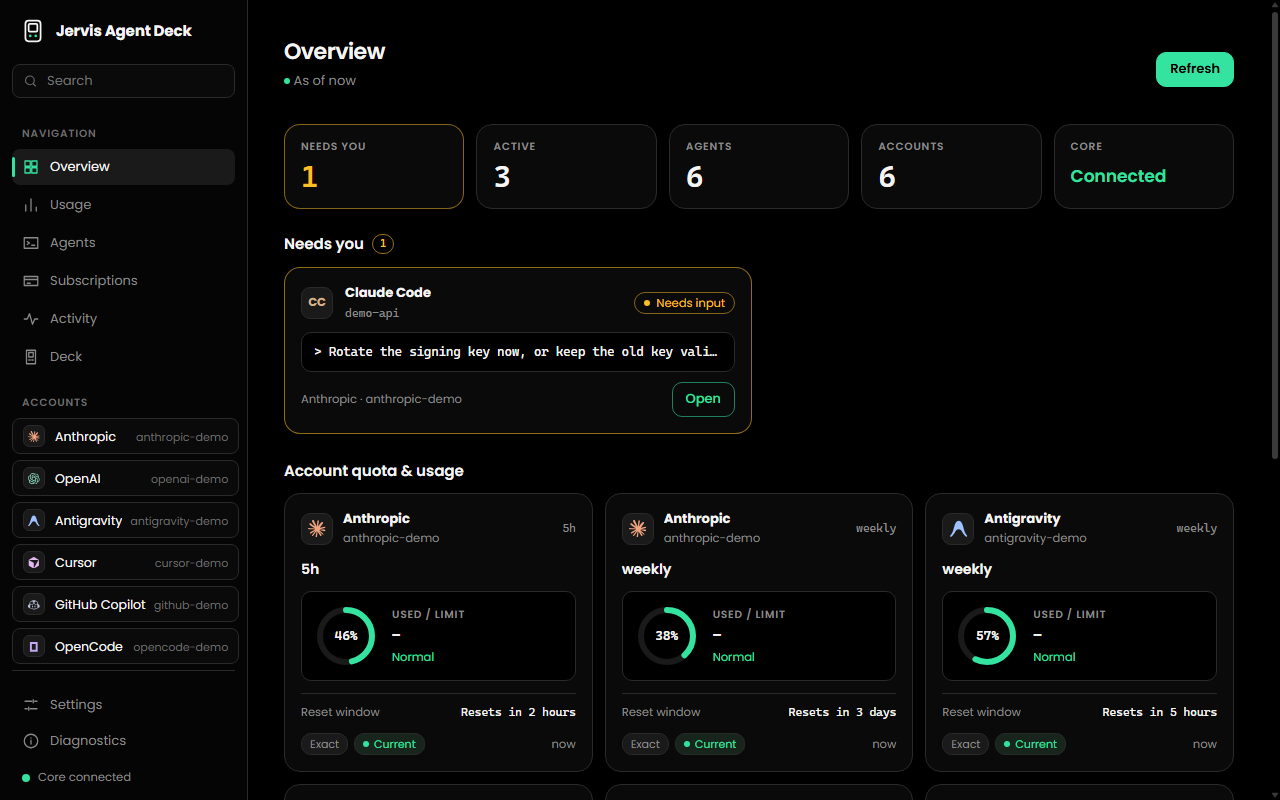
The real Dashboard, captured with demo data.
Agent Deck, on your machine.
The widget and the Dashboard in one desktop app for Windows, macOS and Linux. It runs locally; your usage never leaves your machine.
Windows
Windows 10 / 11, 64-bit. Not code-signed yet, so SmartScreen may ask you to confirm.
macOS
Unsigned preview build. See the Downloads page for the one-line first-launch step.
Linux
x86_64. AppImage runs on most distributions; .deb for Debian and Ubuntu.
It never guesses a number.
Engineered for developers who refuse cloud bloat and fabricated heuristics. Every metric is backed by actual process socket data.
REAL DATA
If a provider API doesn't report an exact context value, we label it Unknown. No synthetic assumptions, no fake hallucinated usage gauges.
LOCAL FIRST
Development data remains on your computer whenever possible. Your source code, local process state, and configuration stay directly on your machine without mandatory cloud routing.
YOU CONTROL IT
Autonomous coding agents can only execute diffs and commands when your explicit permissions match. No silent writes.
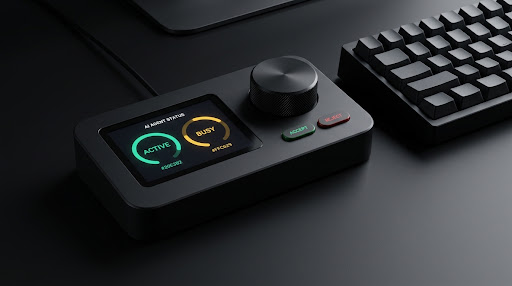
The Deck.
A dedicated physical control surface housed in a clean rectangular matte black enclosure. A color display sits on the left showing active agent context, while a knurled rotary dial on the right allows fast navigation. Directly below the dial are two physical action buttons (green Accept, red Reject) and a rear USB-C connection.
Software + Hardware Ecosystem
Bi-directional event bus streaming micro-telemetry between your active codebase, the background desktop engine, and the tactile physical deck.
Without Agent Deck vs. With Agent Deck
Eliminate context friction. Turn chaotic terminal hunting into steady instrument-grade execution.
WITHOUT AGENT DECK
- remove_circle_outline1. Scattered terminal windows: Multiple detached shells make tracking active background agents chaotic.
- remove_circle_outline2. Blocked execution: Coding agents sit idle for hours awaiting simple command approvals or terminal answers.
- remove_circle_outline3. Blind token burn: Unforeseen rate limit exhaustions occur unexpectedly mid-task.
- remove_circle_outline4. Constant window switching: Shifting attention away from code breaks deep concentration.
- remove_circle_outline5. Multi-agent collisions: Multiple agents editing overlapping directories simultaneously without mutual visibility.
- remove_circle_outline6. Cumbersome diff inspections: Reading agent proposed patches requires full editor tab displacement.
- remove_circle_outline7. Fragmented toolchains: Separate UIs, CLI outputs, and dashboards required for each independent agent.
WITH AGENT DECK
- check1. Unified edge rail: Every running model and prompt aggregated cleanly at your screen perimeter.
- check2. Instant one-click confirmation: Approve or reject actions immediately via shortcut or physical buttons.
- check3. Live limit monitoring: Visible token gauges provide continuous visibility before limits strike.
- check4. Flow preservation: Stay inside your editor without disruptive window alt-tabbing.
- check5. Coordinated awareness: Single consolidated dashboard tracks cross-agent status and file access.
- check6. Streamlined diff flyout: Inspect proposed file modifications directly in a contextual flyout view.
- check7. Harmonized developer surface: One standardized companion interface regardless of which model or CLI you run.
Frequently Answered Questions
Everything you need to know about the software orchestrator and the physical Deck console.
What exactly is Agent Deck?expand_more
Agent Deck is a unified desktop companion app (with an optional physical hardware console) that gives developers an always-on edge-of-screen view of running AI coding agents, their token usage, and pending action approvals.
Which AI agents are supported out of the box?expand_more
It integrates with major coding agents including Claude Code, OpenAI Codex CLI, GitHub Copilot, Cursor, OpenCode, Aider, and Devin, as well as local open-weights CLI runners.
How does Agent Deck handle API keys and code privacy?expand_more
Development data remains on your computer whenever possible. Agent Deck does not require storing your code or credentials on third-party cloud servers.
Is the desktop software completely free?expand_more
Yes. The desktop companion app is completely free to download and use on Windows, macOS, and Linux without required credit card details.
Do I need to buy the physical Deck hardware to use the app?expand_more
No. The desktop app provides all software features, edge widgets, and keyboard shortcuts standalone. The Deck hardware is an optional tactile companion.
What are the exact physical specifications of The Deck hardware?expand_more
The Deck features a rectangular matte black anodized aluminum enclosure with a vibrant color display on the left, a precision knurled dial on the right, two physical action buttons (green Accept, red Reject) below the dial, and a rear USB-C port.
How does The Deck hardware connect to my computer?expand_more
It connects via a single rear USB-C cable using standard USB-HID protocols, requiring no special third-party driver installations.
Can I customize the edge widget position and opacity?expand_more
Yes. The edge overlay can be docked to any monitor bezel, snapped horizontally or vertically, or set to auto-collapse into a slim minimal indicator when inactive.
How does Agent Deck detect background agents?expand_more
The companion app reads local development environment hooks, terminal sockets, and process outputs natively to maintain an updated registry of active agent sessions.
Does Agent Deck support team or multi-seat installations?expand_more
Yes. Teams can install Agent Deck across engineering workstations with centralized local profiles, allowing standardized workflows without tracking team code in external databases.
What platforms and operating systems are supported?expand_more
The desktop companion app natively supports macOS 12+ (Apple Silicon and Intel), Windows 10/11 (64-bit), and modern Linux distributions (AppImage, deb, rpm).
What is the return and warranty policy on The Deck?expand_more
All hardware purchases include a 30-day return policy and a standard manufacturer warranty covering the aluminum enclosure, rotary knob, screen, and buttons.
Your agents are working. Keep them in sight.
Download the native desktop client in seconds or order the tactile hardware console to take immediate control of your development cluster.